Last updated: October 19, 2026
Daraz is one of the easiest ways to start selling online in Pakistan, because you do not need a shop. A ProPakistani story (20 May 2026) describes a seller who began in 2019 by listing household and kitchen items after his day job, and later left his job to focus on the business. This guide explains the basic steps, what is confirmed and what you must check yourself.
Please note: We are not Daraz. The official Daraz seller page (daraz.pk/sell) gives only a short overview. The step-by-step details come from a 2021 ProPakistani how-to, so screens, seller types and rules may have changed. Commission rates are not published on the pages we read. We do not promise income.
How Selling on Daraz Works
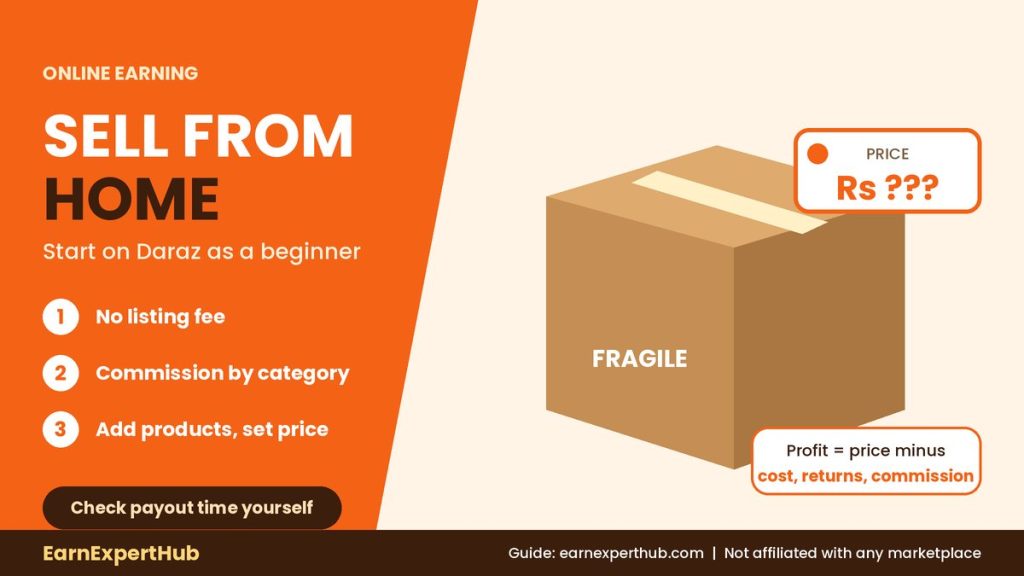
The official page describes three stages: list your products, receive orders and sell across Pakistan, and get paid into your account. It says there is no listing fee, and that Daraz deducts a small commission from order payments, which depends on the product category.
Step-by-Step
- Sign up. Use the “Sell on Daraz” page. The official page also says you can register by sending an SMS “Daraz” followed by your name to 7575.
- Choose the seller type. The 2021 guide lists four types: DarazMall (licensed businesses), Local Seller (no licence), Global Seller and Digital Goods Seller. Check which options you see today.
- Verify your phone and email and complete the form with shop name and contact details.
- Add products. In Seller Center, go to Products, then Add Products. Enter category, name, brand (or “No Brand”), key features, price, quantity and delivery details.
- Add clear photos. The 2021 guide mentions up to 8 pictures per product.
- Choose how to ship and keep your stock status updated.
Money: What We Know
- No listing fee (official page).
- Commission depends on the category. The exact rates are in “Daraz University” under Marketplace Commission Structure, inside your Seller Account.
- The 2021 guide says Daraz held payment for about 15 days after a sale. Payout timing is not stated on the official page, so confirm it in your account.
Before you set a price, subtract the product cost, packaging, delivery cost if any, returns and Daraz commission. Many beginners forget returns.
What to Sell First
- Choose a product you can source reliably and describe honestly.
- Start with a small stock. The seller in the ProPakistani story began with limited inventory.
- Avoid items that need licences or that Daraz restricts. Check the seller policy first.
Common Beginner Mistakes
- Copying other sellers’ photos. Use your own pictures.
- Ignoring the commission and finding no profit.
- Not updating stock. Cancelled orders can hurt your seller performance.
- Paying “agents” who promise instant top-seller status. See our guide on online earning scams.
Frequently Asked Questions
Is there a fee to list products on Daraz?
The official seller page says there is no listing fee.
What is the commission?
It depends on the category. Check Daraz University in your Seller Account.
Do I need a shop?
The ProPakistani story notes that sellers can start without a physical storefront.
Which documents do I need?
The official page does not list them. Check what Seller Center asks for.
When do I get paid?
Not stated on the official page. A 2021 guide said about 15 days. Confirm in your account.
Final Words
Selling on Daraz is a low-cost way to test an online business, but your profit comes from the product, price and service, not from signing up. Start small and track every cost. If you prefer service work, read our 30-day freelancing plan and free skills to learn online. For more online earning in Pakistan, keep visiting EarnExpertHub.
Sources: Daraz, Sell on Daraz page; ProPakistani how-to, 2 March 2021; ProPakistani, 20 May 2026.
Get the latest jobs and government schemes every day. Join our WhatsApp channel.
Join Our Channel