Last updated: October 20, 2026
You do not need a laptop full of expensive software to start earning from design. Canva runs in a browser or on a phone, and many small businesses in Pakistan still need simple posts, logos, menus and CVs. This guide shows a realistic way to turn Canva into a side income, step by step, without big promises.
Please note: Nobody can promise you a fixed income from design. What you earn depends on your skill, your portfolio and how much effort you put into finding clients. Canva’s plans and features can change, so check the official Canva site for the current free and paid options.
What Can You Sell with Canva?
| Service | Who needs it | Difficulty |
|---|---|---|
| Social media posts and stories | Shops, clinics, academies, home businesses | Easy |
| CVs and cover-letter layouts | Students and fresh graduates | Easy |
| Menus, price lists, flyers | Restaurants, bakeries, salons | Easy to medium |
| YouTube thumbnails | Small channels | Medium |
| Presentations and pitch decks | Students, startups, teachers | Medium |
| Simple logos and brand kits | New small businesses | Medium |
Step-by-Step Plan
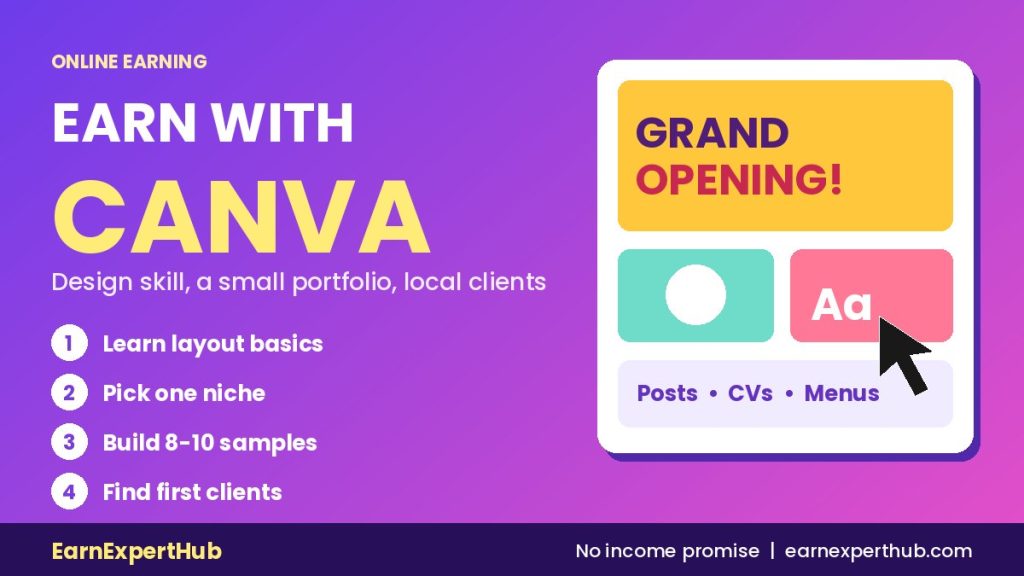
1. Learn the basics first (week 1)
Open a free Canva account and learn four things: alignment, font pairing, colour contrast and spacing. Recreate five designs you like, from scratch if possible, instead of only changing the text of a template. Our list of free skills to learn online can help you build the habit.
2. Pick one niche (week 2)
“I design everything” is hard to sell. “I design Instagram posts for bakeries” is easy to understand. Choose one group of customers whose work you understand: clinics, tutors, clothing sellers, real estate agents or YouTubers.
3. Make a small portfolio (weeks 2 and 3)
Create 8 to 10 sample designs for imaginary or real local businesses. Save them as images and put them in one Google Drive folder, a Behance page or a simple Instagram page. Use your own designs only, and avoid copying other people’s work or logos.
4. Find your first clients (weeks 3 and 4)
- Message local shops and ask if you can redo one post for free, then ask for a testimonial if they like it.
- Create a gig on Fiverr. Our guide on how to write a Fiverr gig shows how.
- Tell friends, relatives and WhatsApp groups what you offer. Keep the message short and add two sample images.
5. Set your price and delivery rules
Start with a small package, such as 5 posts for a fixed price, and state clearly how many revisions you include. Charge a part of the amount in advance from clients you do not know. Raise your price as your portfolio grows.
Free or Paid Canva?
You can learn and deliver simple work on the free plan. Paid plans add extra tools, such as bigger brand features and more premium content. Do not buy a paid plan before you have a paying client. If you do upgrade, check the licence rules for any stock photos or elements you use in client work.
Mistakes to Avoid
- Using copyrighted images or logos from Google. Use licensed or free-to-use sources.
- Copying someone else’s design. Take inspiration, not the whole layout.
- Working without a clear brief. Ask for the text, colours, size and platform before you start.
- Taking jobs that ask you to pay first. Real clients pay you, not the other way round. Read our list of online earning scam red flags.
Frequently Asked Questions
Can I start with only a mobile phone?
Yes, the Canva app works on a phone. A laptop is more comfortable for longer work, but it is not required to begin.
Is Canva design a real skill?
Yes. Clients pay for good, consistent and fast design, not for the tool itself. Learning layout and branding basics makes you stand out.
How long before I earn the first payment?
It varies from person to person. Most beginners need a few weeks to build a portfolio and find the first client, so be patient and keep improving.
Do I need a degree?
No. Clients look at your samples and how easy you are to work with.
Final Words
Treat Canva as a starting point. Pick a niche, build a small portfolio and ask for feedback. Later you can move to deeper tools or a full freelancing plan. For more online earning in Pakistan, keep visiting EarnExpertHub.
This is a general guide based on common freelancing practice. For Canva plans and licence terms, check the official Canva website.
Get the latest jobs and government schemes every day. Join our WhatsApp channel.
Join Our Channel