Last updated: October 11, 2026
Here is a sad but common story: a candidate fills the online form, pays the fee, and then gets rejected because the domicile was blurry or one degree was missing. The job was theirs on paper. The documents let them down.
The fix is simple. Make one folder, with every document ready, before you even look for a job. Then each new advertisement takes ten minutes, not two days. This guide shows exactly what to put in that folder, how to scan it, and what mistakes to avoid.
Important: every advertisement has its own rules. Use this list to get ready, but always follow the list in the ad you are applying to.
The Core Documents (Almost Every Government Job)
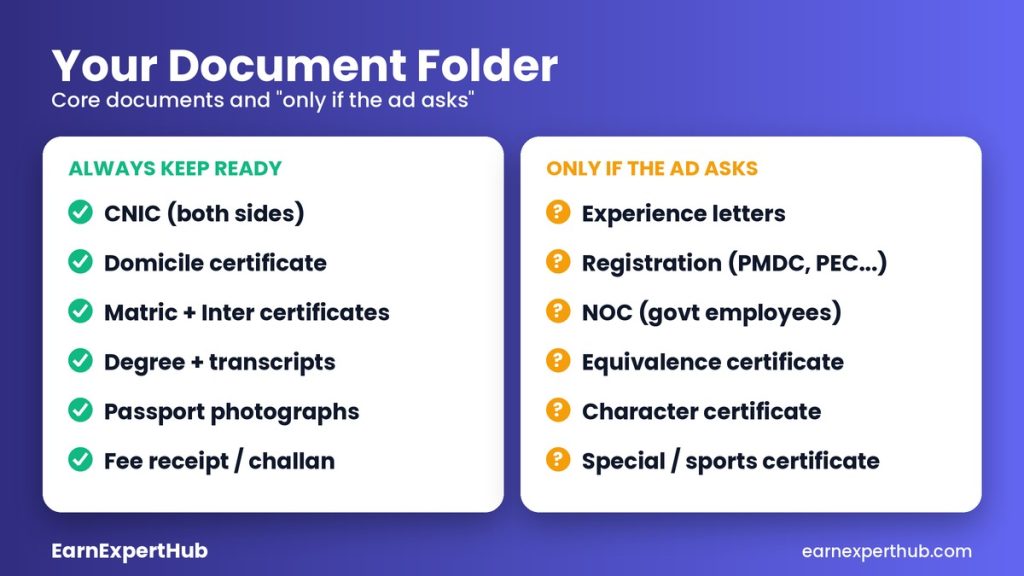
- CNIC: clear scan of both sides. Check that it has not expired.
- Domicile certificate: many posts have district or province quotas, so this matters a lot.
- Matric and Intermediate certificates: these also prove your date of birth for the age limit.
- Degree and transcripts: bachelor’s, master’s or any other degree the post asks for.
- Passport-size photographs: recent, clear and with the background the ad asks for.
- Fee proof: the bank slip, challan or online payment receipt, if the ad charges a fee.
Documents Some Posts Ask For
- Experience letters: on the company’s letterhead, with your post and dates.
- Professional registration: for example PMDC for doctors, PEC for engineers, or the veterinary council for veterinary posts. We saw these conditions in real PPSC ads.
- NOC (No Objection Certificate): government and semi-government employees are often told to apply through their department with an NOC.
- Equivalence certificate: if your degree is not exactly the one named in the ad, or it is from a foreign university.
- Character certificate, sports or special certificates, disability certificate: only if the ad asks for them.
- Short-course or computer certificates: when the post lists a skill requirement.
The Folder Method (Do This Once)
- Create a folder on your phone or computer called “Job Documents”.
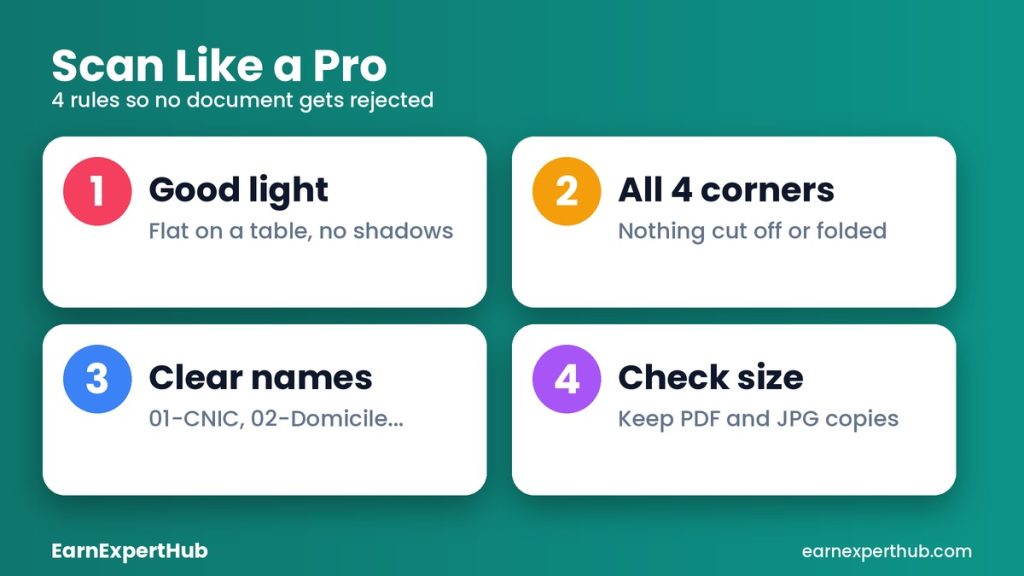
- Scan each document in good light, flat on a table, with all four corners visible. Do not use a filter that changes the colors.
- Name the files clearly: 01-CNIC, 02-Domicile, 03-Matric, 04-Inter, 05-Degree. A clear name saves you from uploading the wrong file.
- Keep a PDF and a JPG of each one, because different websites ask for different formats.
- Check the file size. Many portals have a limit. If a scan is too big, compress it, but make sure the text is still readable.
- Keep the originals safe, and a set of photocopies and attested copies for interviews and tests.
Attestation: Read the Ad Carefully
If the ad asks for attested copies, it normally means copies stamped and signed by an authorized officer. Who can attest is written in the ad or the instruction page. Follow that and nothing else. Do not attest at a shop that “does it for a fee” unless the ad allows it.
Seven Mistakes That Get Applications Rejected
- Blurry or cropped scans. If an official cannot read it, it does not count.
- Name or CNIC spelling that does not match between the form and the documents.
- Expired or missing documents. Check dates on your CNIC and domicile early.
- Applying after the last date. Late forms are not accepted.
- Not saving the fee receipt and application number.
- Wrong post or wrong quota. Read the eligibility twice.
- Paying a middleman. Nobody can “guarantee” a government job for money. See our guide to finding government jobs and avoiding fake ads.
Quick Printable Checklist
- CNIC (both sides)
- Domicile
- Matric and Intermediate
- Degree and transcripts
- Photographs
- Experience letters (if needed)
- Registration or NOC (if needed)
- Fee receipt
- Application number saved
Frequently Asked Questions
Do I need all these documents before the job is announced?
No, but having them ready saves days. Domicile and degree copies take the longest to arrange, so start there.
Which format is best, PDF or JPG?
Use the format the portal asks for. Keep both ready.
Can I upload a photo taken with my phone?
Yes, if it is sharp, straight and well lit. A scanner app is better than a normal photo.
What if a document has a mistake in the name or date?
Get it corrected from the issuing office before you apply. Mismatches can cause rejection.
Final Words
Good documents will not get you the job, but bad ones can stop you from even reaching the test. Prepare once, keep it updated, and apply quickly when a good ad comes. For more latest jobs in Pakistan and application tips, keep visiting EarnExpertHub. You can also prepare for your interview with our common interview questions guide.
Get the latest jobs and government schemes every day. Join our WhatsApp channel.
Join Our Channel