
Most “earn money online” websites ask you to pay first or promise quick money. Freelancer.com is different: it is a real marketplace where clients post work and you get paid only after you deliver it. It will not give you money for signing up, and the first project can take weeks. But if you have a skill, it is one of the few places where a Pakistani beginner can go from sign up to a real withdrawal in a clear, honest way.
This guide walks you through the full path: creating the account, setting up your profile, bidding on your first project, understanding the fees, and withdrawing your money. Every number below comes from Freelancer’s own fees page, and I have marked the places where you should double check your own account, because options can differ by country and change over time.
Is Freelancer.com real, and who is it for?
Yes, it is a long-running freelance marketplace, similar to the ones we compared in our guide on Upwork vs Fiverr for beginners in Pakistan. The main difference is how you get work. On Fiverr, clients find your gig. On Freelancer.com, you mostly find a project and send a bid (a proposal with your price).
It suits you if you can offer a skill such as writing, graphic design, video editing, data entry, virtual assistance or simple web work. If you have no skill yet, start with our 30-day freelancing plan for Pakistan first, then come back here.
What you need before you start
- One clear skill you can deliver for a client (not ten skills)
- A working email address and phone number in your own name
- A short portfolio: 3 to 5 samples, even self-made ones
- Your CNIC or another ID, in case Freelancer asks you to verify your identity
- Patience: your first project may take a few weeks of bidding
No CV yet? Our free CV maker can help you put your skills and samples in one clean page.
Step 1: Create your Freelancer.com account
- Open Freelancer.com in your browser and choose the sign up option.
- Pick that you want to work (earn money), not hire.
- Enter your name, email and a strong password, or continue with a Google account.
- Open the verification email and confirm your address.
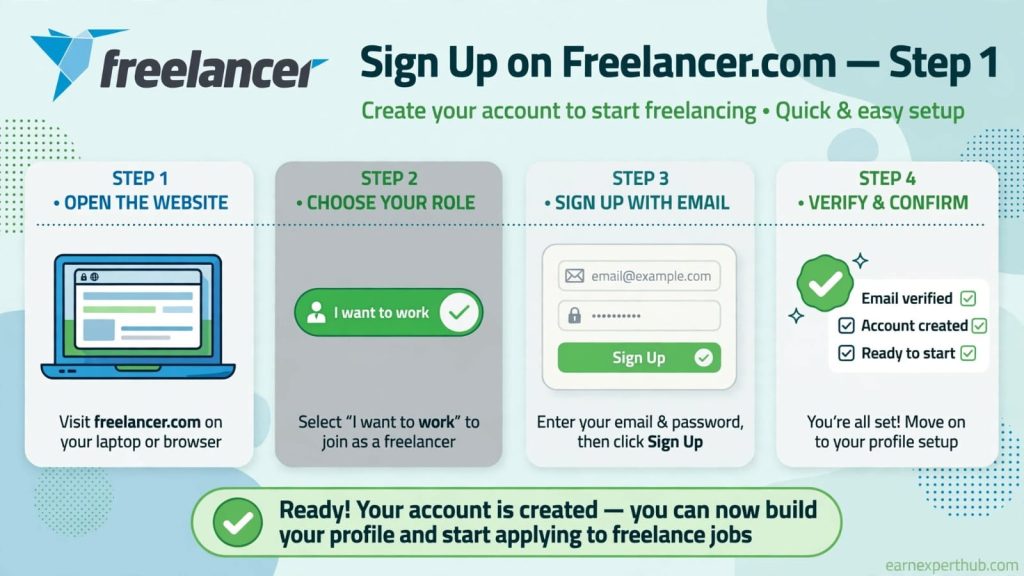
Use your real name. Accounts with fake details are the first to be blocked, and you will need your real details later to withdraw money.
Step 2: Build a profile clients will trust
Your profile is your shop window. Clients see it before they decide to talk to you.
- Headline: say exactly what you do, for example “Urdu and English Content Writer”, not “Hard working freelancer”.
- Summary: 4 to 6 lines. Who you help, what you deliver, and how fast you reply.
- Skills: add only the ones you can really do.
- Portfolio: upload your best samples. Without samples, beginners are ignored.
- Photo: a clear, simple face photo.
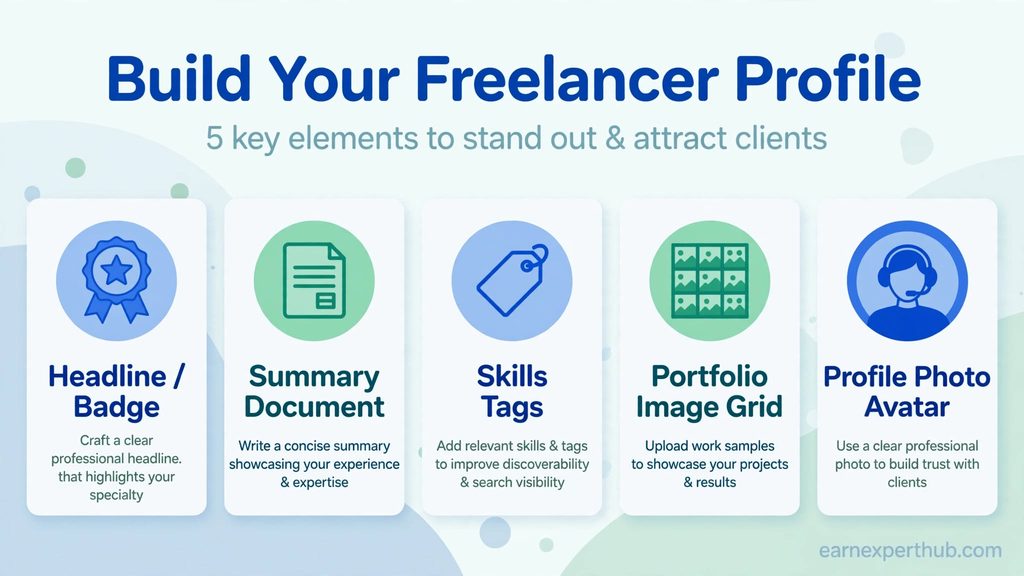
If you are not sure how to write a strong profile, the same rules we explained in our Upwork profile guide for beginners apply here too.
Step 3: Verify your account
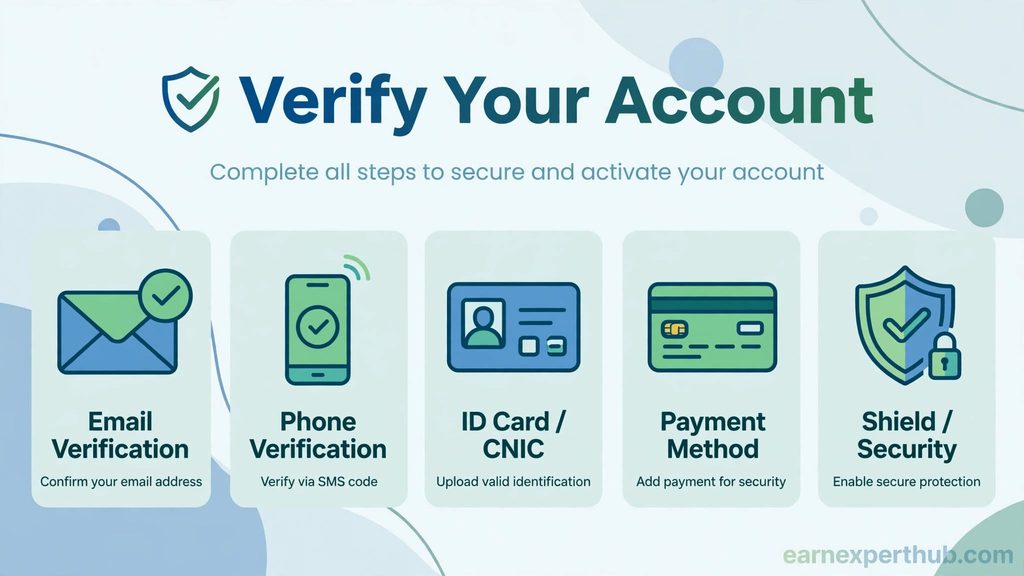
Freelancer may ask you to verify your email, phone number, payment method or identity before you can bid or withdraw. Do this early, so you are not stuck later when a client is waiting. Follow the prompts shown in your own account.
Step 4: Find a project and send your first bid
Go to the browse projects page and filter by your skill. Look for projects that are clear, recently posted and have few bids already.
A free account starts with a small number of bids each month (Freelancer’s fees page lists 6 bids per month for free members), so do not waste them. Before bidding, check three things:
- Does the client describe the job clearly?
- Can you really deliver it by the deadline?
- Does the budget make sense for the amount of work?
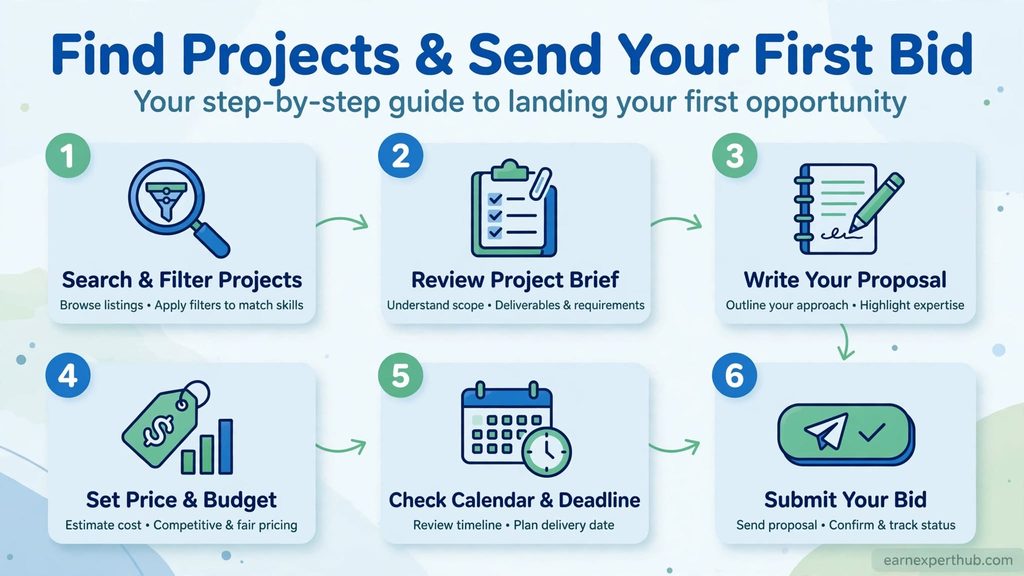
Then write a short proposal that proves you read the project. A simple structure works well:
- One line showing you understood the job.
- One or two lines about similar work you have done, with a sample link.
- Your price and delivery time.
- One question about the project, so the client replies.
Do not copy and paste the same proposal everywhere. Clients notice immediately.
Step 5: Do the work and get paid through milestones
When a client awards you the project, they usually fund a milestone first. This is a payment the client puts aside for you before you start, so you know the money exists. You deliver the work, the client approves, and the milestone is released into your Freelancer balance.
Keep all talking and payments inside the platform. If a client asks you to move to WhatsApp and be paid outside, that is a warning sign. Read our guide on the 10 red flags of online earning scams in Pakistan before you accept any offer that feels off.
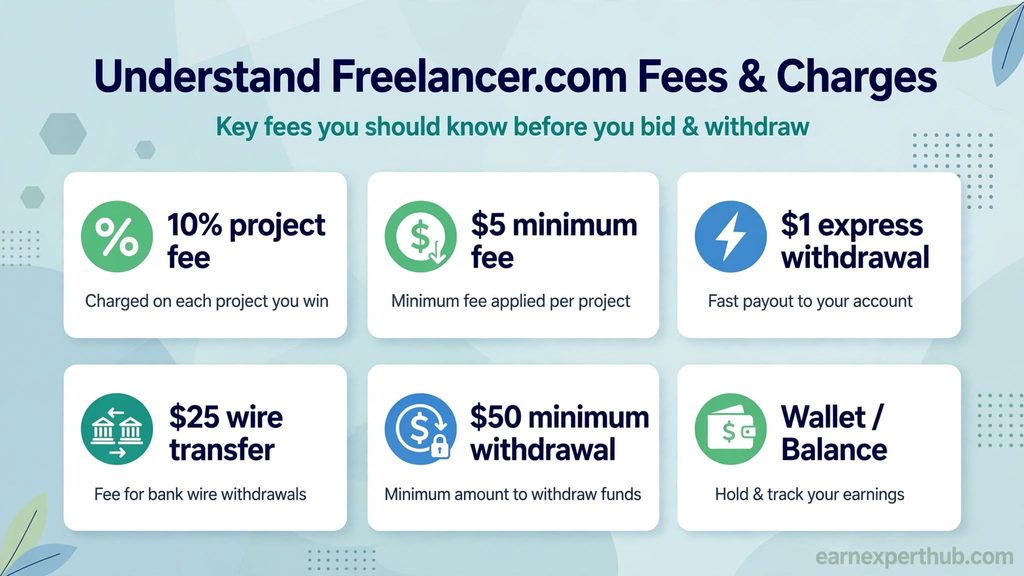
Freelancer.com fees you should know
Freelancer takes a cut of what you earn. These figures are from the official fees page, read in November 2026. Check it again before you plan your prices, since fees can change.
| What | Cost |
|---|---|
| Fixed-price project fee | 10% of the project value or $5, whichever is higher |
| Hourly project fee | 10% of each payment |
| Express withdrawal, PayPal, Skrill or Payoneer card withdrawal | $1 each (where available to you) |
| International wire transfer | $25 |
| Minimum withdrawal | $50 after fees |
Two things catch beginners off guard. First, a $25 wire fee on a small withdrawal hurts a lot, so withdraw once you have a larger balance or use a cheaper method. Second, Freelancer’s fees page mentions a maintenance fee on accounts that stay inactive for a long time, so log in now and then.
Step 6: Withdraw your money in Pakistan
- Open your account and go to the Withdraw Funds page.
- Look at the withdrawal methods shown for your account. This is the list that matters, because availability can differ by country.
- Choose your method and add your payment details. The name on the account must match your Freelancer account name.
- Enter the amount (at least $50 after fees) and confirm.
- Wait for the request to be processed, then check your account or bank.
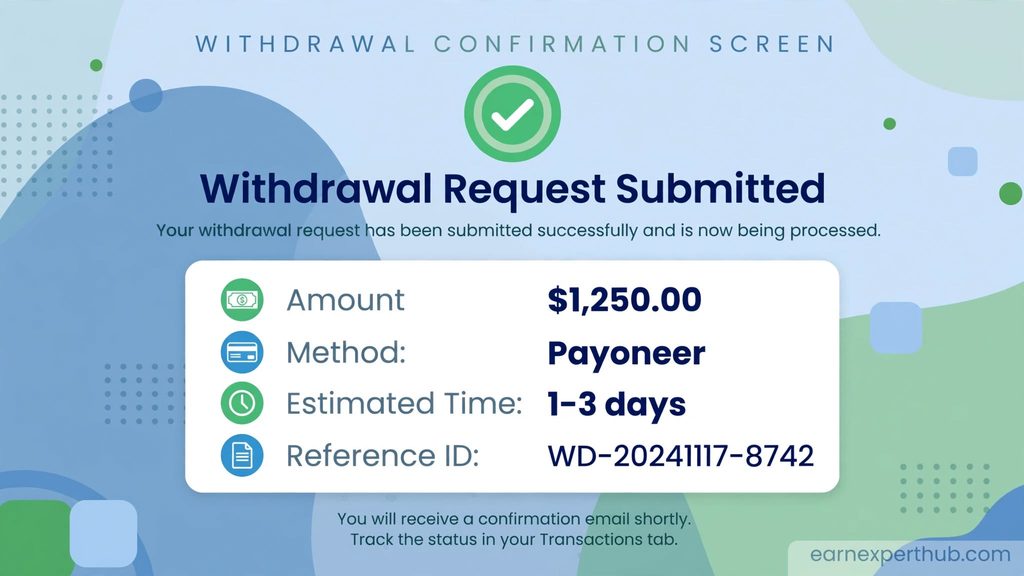
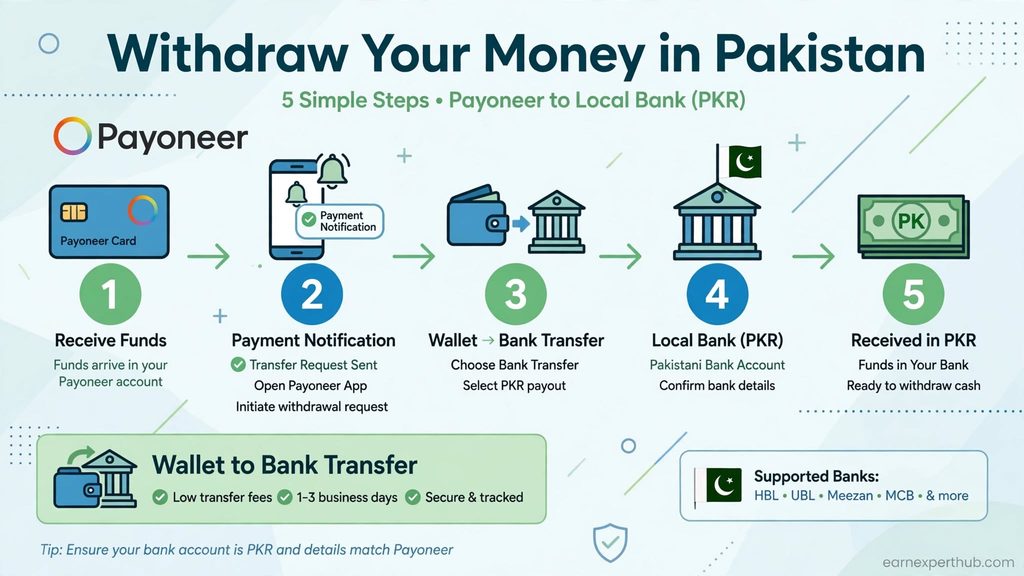
Many Pakistani freelancers receive their money through Payoneer or a local bank. Payoneer charges its own withdrawal fee to Pakistani bank accounts, reported at 3% in 2025, so check the fee shown inside your Payoneer account before you decide. For the full picture on getting paid, see our guide on how to withdraw Fiverr and Upwork money in Pakistan, since the same banking and Payoneer rules apply.
Mistakes that cost beginners money
- Bidding on everything instead of projects that match your skill.
- Pricing too low, then burning out. Low prices attract difficult clients.
- Accepting work or payment outside the platform.
- Paying anyone to “unlock” projects or buy “verified” accounts. Real platforms do not need this.
- Sharing your password or OTP with anyone, including people who claim to be support.
What to realistically expect
Your first weeks will mostly be profile work and bidding. Many beginners win their first project only after sending a good number of careful proposals. After that, reviews make the next project easier. For a sense of what Pakistani freelancers actually earn, read our look at Pakistani freelancer earnings in 2026. Nobody can promise you a monthly income, and anyone who does is selling you something.
Frequently asked questions
Is Freelancer.com free to join?
Yes, creating an account is free. You pay a fee only when you earn, plus any withdrawal fee. Some extras, like paid memberships, are optional.
Can a complete beginner earn on Freelancer.com?
It is possible, but you need a real skill and a decent profile. Absolute beginners with no samples usually struggle to win a first project.
What is the minimum withdrawal?
According to Freelancer’s fees page, the minimum withdrawal is $50 after fees. Always confirm the current number on your Withdraw Funds page.
Which withdrawal method should I use in Pakistan?
Use whichever method appears on your own Withdraw Funds page, and compare the total cost, including any fee charged by Payoneer or your bank. Do not decide from a video or a blog alone, since availability can change.
Does Freelancer.com pay if I only sign up?
No. Signing up earns nothing. You are paid only for completed work that a client approves.
Get the latest jobs and government schemes every day. Join our WhatsApp channel.
Join Our ChannelRelated Guides


Founder of EarnExpertHub. I write Pakistan jobs, government schemes and online earning guides. I summarise official sources in my own words and link to them. Rules and dates can change, so please confirm on the official website.
Published: 17 November 2026 · How we work · Found a mistake? Tell us · LinkedIn